A one-tap game asks for almost nothing: no keyboard layout to learn, no combos, no menus in the middle of play. You press, or you hold, and the game does the rest. Yet these are some of the hardest games to put down, because when the only thing you control is timing, every crash is plainly your own fault and the next attempt always feels winnable. This guide explains why simple controls work so well, picks out the best one-button games to play free in your browser, and shares the timing habits that turn short runs into long ones.
Our picks to play for free
 #1Zigzag Wall RunnerThe cube moves upward automatically.
 #2Clock Timing ChallengeWatch the rotating clock hand, tap at the exact moment to launch it toward another clock, and connect without missing.
 #3Robot JumpTap the screen to make the robot jump upward.
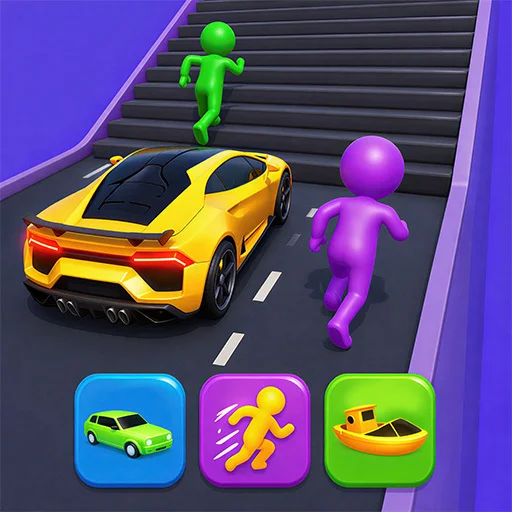 #4Tap Shape Shift GameTap or click to switch your character's shape and match the opening in each approaching obstacle.
 #5Snow Zigzag RiderThe skier moves forward automatically.
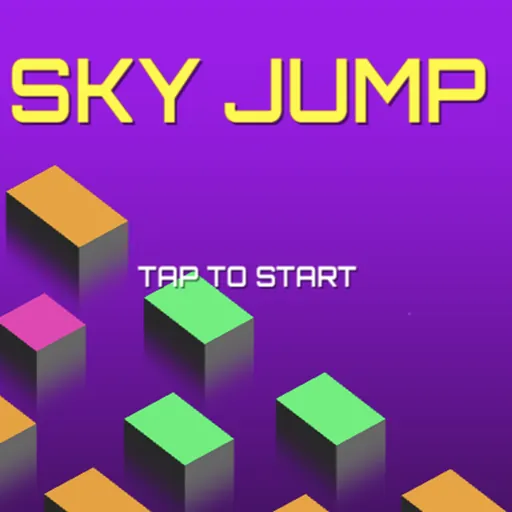 #6Endless Platform JumperEndless Platform Jumper is a fast-paced arcade jumping game where you leap from one moving platform to another while climbing higher and higher.
 #7Kiwi Fly AdventureTap the screen to make the kiwi jump and fly upward.
 #8Jetpack Flight AdventureTap or hold to control your jetpack flight.
 #9Zigzag Arrow Run 3DThe arrow moves forward automatically.
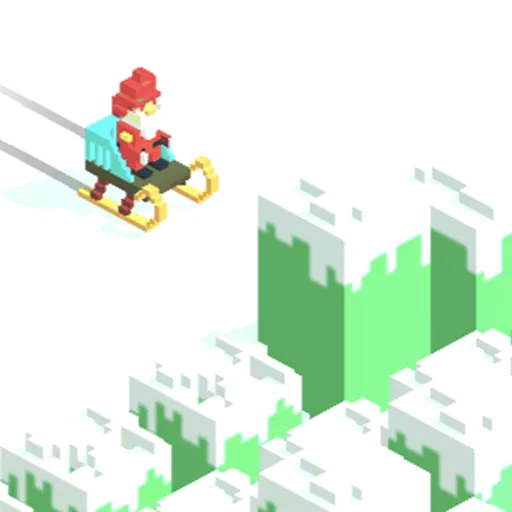 #10Santa Ski ZigzagSanta skis forward automatically.
Why one-button games are so gripping
With a full set of controls, a failed run can be blamed on a fiddly button or a camera angle. With one input there is nowhere to hide. That honesty is the hook: you know exactly what went wrong, so you know exactly what to fix, and a fresh attempt starts in a second. Runs are short, the rules are learned in one go, and the challenge comes entirely from speed and patterns rather than from memorising controls.
Simple input also makes these games ideal on a phone. Your thumb rests anywhere on the screen, nothing is covered by on-screen buttons, and you can play one-handed on a bus or in a queue. On a laptop the same games work with a single mouse click. If you like quick sessions in general, our endless runner games guide covers games that share the same always-moving feel.
Tap to switch: the zigzag family
Zigzag games keep you moving automatically and give you one job: change direction at the right moment. In Zigzag Wall Runner, a small cube climbs a narrow corridor and each tap sends it across to the opposite wall. Obstacles block parts of the path, power-ups boost your score, and the climb speeds up the higher you go, so the gaps you cleared easily at the start become tight later on. In Snow Zigzag Rider, a skier heads down a twisting mountain trail and a tap changes direction along the zigzag path; the track mixes tight turns with wide curves, so you cannot settle into one rhythm.
Two zigzag games use holding instead of tapping, which changes the feel completely. In Zigzag Arrow Run 3D, an arrow travels along narrow 3D paths and you hold to adjust its direction, reaching the end of each path to complete the level. In Santa Ski Zigzag, holding the screen turns Santa left and releasing sends him straight again, while coins along the snowy track raise your score. Holding rewards smooth, measured presses rather than sharp taps, so if you keep over-steering in one, try thinking of the hold as a gentle lean rather than a jerk.
Tap to jump and climb
Jumping games turn the single input into a leap, and the skill is waiting for the right moment. Robot Jump has you tapping to jump a small robot upward through pairs of electric sliders that move apart and close again; jump too early or too late and you touch the barrier. Endless Platform Jumper asks you to leap between rows of moving platforms, where each row can travel at a different speed and direction. For more games built around the leap itself, see our jumping and platform games guide or browse the jumping games page.
Tap to fly
Flight games keep you in the air and make gravity your opponent. In Kiwi Fly Adventure, each tap makes a little kiwi bird jump and fly upward while it moves forward; coins appear in different patterns and insects cross the path, some slowly and others quickly in random directions. Jetpack Flight Adventure lets you tap or hold to control your height, threading a jet-powered hero through gaps, moving platforms and narrow passages. The trick in both is that you are always correcting a fall, so small, frequent inputs beat big, panicked ones.
Pure timing: clocks and shapes
Some one-tap games strip away movement altogether and test timing on its own. Clock Timing Challenge shows a rotating clock hand; tap at the exact moment to launch it toward another clock and connect. Each success adds a clock to the chain, the clocks spin faster as you go, and one missed shot ends the round. Tap Shape Shift Game sends your character down a corridor of geometric obstacles, and each tap cycles to the next shape so that your form matches the opening before you reach it. Later sections ask for several changes in quick succession, so reading the next two or three obstacles ahead becomes essential.
Count the shapes, not the seconds
In a shape-cycling game, one tap moves you one step along the order. If the next opening needs a shape two steps away, you need two taps, and leaving the second one late is the most common way to fail. Learn the order first, then plan your taps per obstacle.
Timing tips that work in every one-tap game
- Look ahead, not at your character. Your eyes should be on the next obstacle or turn, with the character in the corner of your vision.
- Find the beat. Most of these games have a rhythm to their patterns. Tapping in time with it is more reliable than reacting to each hazard on its own.
- Stay relaxed. A tense thumb taps late and taps twice. Rest it lightly on the screen between presses.
- Learn the early section well. The opening of a run is the easiest part, so a crash there wastes the most time. Make it automatic.
- Treat collectibles as optional. Coins and power-ups help your score, but swerving for a risky one ends more runs than it improves.
- Take short breaks. Timing drifts when you are tired or frustrated. Five minutes away often brings a new best straight after.
Tap games versus hold games
It is worth noticing which kind of input a game uses before you start. A tap is a single event: the game reacts once, so the question is only when. A hold is continuous: the game keeps reacting for as long as you press, so the question is how long. Players who are great at tap games sometimes struggle with hold games because they press in short stabs. If a hold game feels twitchy, slow down, press earlier and release earlier. If a tap game feels sluggish, you are probably reacting rather than anticipating, so start looking one obstacle further ahead.
Which one-tap game should you try first?
For a gentle start, try Snow Zigzag Rider: the controls are a single tap and the snowy setting is easy to read. If you want a pure reflex test, Clock Timing Challenge is the cleanest, because there is nothing to steer and nothing to collect. For something that keeps changing, the moving platforms in Endless Platform Jumper rarely repeat. When you have had your fill, the arcade games category has plenty more quick games, and our games to play when bored guide has ideas for longer sessions.
Frequently asked questions
What is a one-tap game?
A one-tap or one-button game is controlled by a single input, usually a tap, click or hold. Your character moves on its own and you decide only when to act, so the challenge comes from timing rather than complex controls.
Are one-tap games good on a phone?
Yes. They suit touch screens very well because your thumb can rest anywhere and nothing is hidden behind on-screen buttons. Zigzag Wall Runner, Robot Jump and Kiwi Fly Adventure all play with a simple tap.
How do I get a higher score in tap games?
Watch the next obstacle rather than your character, find the rhythm of the patterns, keep your thumb relaxed and skip risky collectibles. Learning the opening section well also stops cheap early crashes.
Do I need to download these games?
No. Every game in this guide runs in your web browser on OnlineGameWorlds, on desktop or mobile, with no download or sign-up.