For a long time "browser game" meant something flat and simple, and for good reason — that was all the technology allowed. It has not been true for years. Modern browsers render genuine 3D with hardware acceleration, and games with real cameras, lighting, and physics now run in a tab on hardware you already own. This guide covers what is actually possible today, which genres benefit most from the third dimension, and the practical settings that turn a stuttering mess into a smooth game.
Our picks — play them free
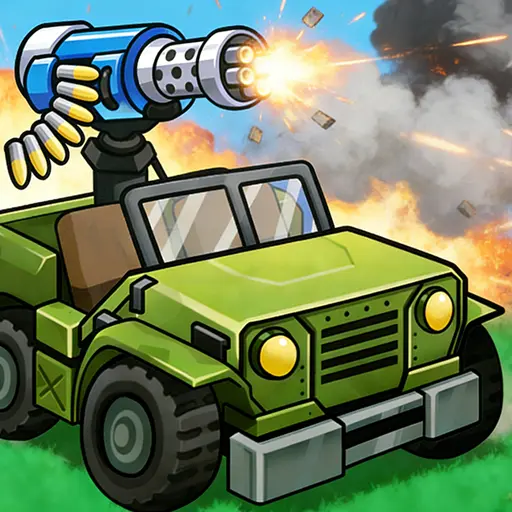 #1Tank Strike: Wasteland RogueUse the arrow keys or WASD to move your tank across the battlefield.
 #2Black Hole Fill 3DClick and drag or use the arrow keys to move the black hole across the platform.
 #3Stacky Maze GameUse the arrow keys or swipe to move your character through the maze corridors.
 #4Rotate Ball MazeRotate the maze to move balls out of the maze and complete the level.
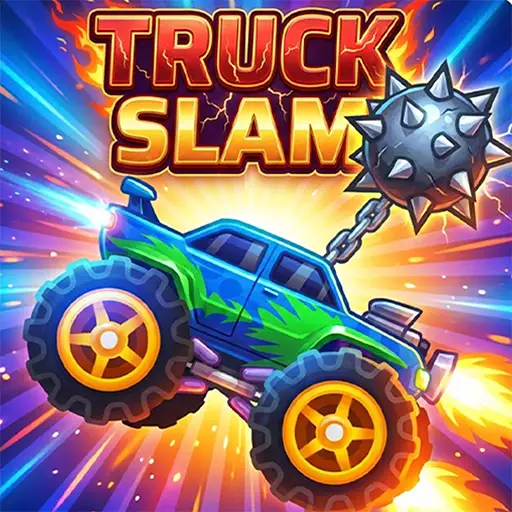 #5Truck SlamUse the keyboard arrow keys or WASD to accelerate and steer your truck.
 #6Car Parking Simulator 3Use W or Up Arrow to move forward, S or Down Arrow to reverse, and A or D (or Left and Right Arrows) to steer.
What browsers can actually render now
Browsers talk to your graphics card directly. That means real-time lighting and shadows, textured 3D models, particle effects, and physics simulation — the same fundamentals a downloaded game uses, running inside a tab. Games built in mainstream engines can be exported straight to the web, which is why the visual gap between browser and downloadable games has narrowed so sharply.
The remaining differences are mostly about scale rather than capability. A browser game has to download its assets before you play, so enormous open worlds are impractical, and there is a modest performance cost compared to a native build. Neither prevents a genuinely good-looking 3D game. Our Unity WebGL games guide explains the technology in more depth if you want it.
The genres that gain most from 3D
3D is not automatically better — plenty of games are sharper in two dimensions. But some genres need depth to work at all:
Racing is the clearest case. Judging a corner needs real perspective — how quickly the road narrows tells you how fast you are going in a way a top-down view never can. Shooters need it for aim and spatial awareness, and simulation games use it to make a space feel like somewhere you occupy rather than a diagram.
Getting a smooth frame rate
3D asks more of your machine than a puzzle game does, and the first load is the heaviest moment because assets are still arriving. If a game feels rough, work through these before writing it off:
- Let it finish loading — early stutter is usually assets still streaming in
- Check hardware acceleration is enabled in your browser settings
- Close other tabs, especially video, which competes for the same GPU
- Lower the in-game quality setting one notch; the visual cost is small
- Play fullscreen — rendering to a smaller window is not always faster, but fullscreen avoids scaling work
Hardware acceleration is the one to check
If every 3D game runs badly on a machine that should handle them, this is almost always why. When hardware acceleration is off, your browser renders 3D on the CPU instead of the graphics card, and the difference is dramatic. It sits in your browser's system or performance settings and is occasionally switched off by driver problems or privacy tools.
3D on a phone
Modern phones are surprisingly capable and handle browser 3D comfortably, though sustained play generates heat and drains battery faster than 2D games. The bigger design question is controls: a racing game with tilt steering or large on-screen pedals works beautifully on a touchscreen, while a shooter demanding precise aim rarely does.
Games that were designed for touch from the start tend to be far more satisfying than desktop games with buttons drawn over them. Our mobile browser games guide covers how to tell them apart quickly.
Where to find them
3D titles are spread across genres rather than gathered in one place, so the categories above are the best route in. If you would rather see the highlights, the best online games collection is curated, and newest browser games is where recent 3D arrivals show up first.
Frequently asked questions
Can browsers really run proper 3D games?
Yes. Browsers communicate with your graphics card directly, giving real-time lighting, textured models, particles, and physics. Games made in mainstream engines can be exported to the web, which is why browser 3D now looks close to downloadable games.
Why does a 3D browser game stutter when it first loads?
Assets are still downloading and being prepared. Early stutter usually settles once loading finishes. If it does not, check that hardware acceleration is enabled in your browser and close other tabs using the GPU.
Do I need a gaming PC to play 3D browser games?
No. They are built to run on ordinary laptops and phones. Turning the in-game quality setting down a notch and enabling hardware acceleration matters far more than having a dedicated graphics card.
Do 3D browser games work on phones?
Yes, though they use more battery and generate more heat than 2D games. Titles designed for touch — racing with tilt or large on-screen controls — feel much better than desktop games with buttons overlaid.