Finding games for children online is less about finding fun games — there are thousands — and more about filtering out everything that comes attached to them. App stores bring downloads, permissions, in-app purchases, and accounts. Browser games avoid most of that by default, but they are not automatically safe either, and knowing what to check takes about a minute once you know what matters. This guide covers the practical filters worth applying, which game categories suit which ages, and how to set up a session that ends when you want it to rather than when the child decides.
Our picks — play them free
 #1Triple Tile Match PuzzleTap tiles to select them.
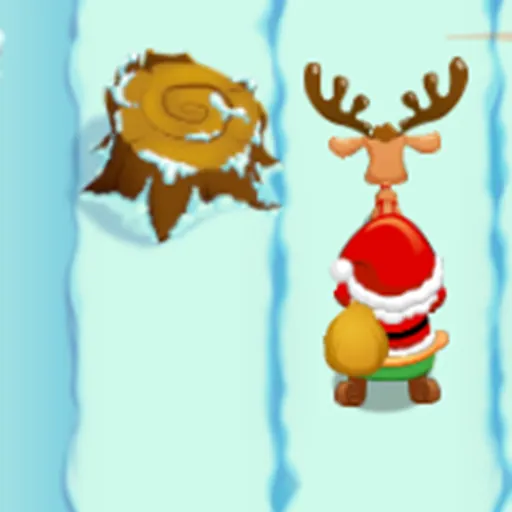 #2Santa Gift RunnerSanta rides forward automatically.
 #3Water Sort PuzzleTap a bottle to pour water into another.
 #4Color Ball HitWatch the rotating circular target.
 #5Connect The DotsTap a colored dot and draw a line to the same-color dot.
 #6Candy Cutter Saga KidsClick and drag (or swipe on mobile) to draw a cut line across the candy.
 #7Find the DifferencesCompare two pictures to uncover more than 5 differences.
What actually makes a kids game safe
Safety online is usually discussed in vague terms, but for children's games it comes down to four concrete questions. Can the game install anything on the device? Can a stranger send your child a message? Does it ask for personal information? And can it spend money? A browser game answers the first question with a firm no — it runs inside the browser sandbox and cannot write software to your computer or reach your files.
The other three are worth checking per game. Single-player titles have no chat at all, which removes the entire category of stranger contact in one step. Games that never ask for an account cannot collect personal details. And free browser games funded by advertising rather than purchases mean there is no payment path a child can stumble into. Those three properties describe most of what a young child should be playing.
- No installation — the game runs in the browser sandbox
- No open chat — single-player games remove stranger contact entirely
- No account required — nothing personal to collect
- No in-game purchases — no payment path to stumble into
Matching the game to the age
Younger children, roughly under seven, do best with games that cannot be lost. Drawing, dressing, matching, and simple sorting games have no failure state, so frustration never enters the picture and the child stays in control of the pace. Reading ability is the real constraint at this age — a game that explains itself through pictures and colour will be playable long before one that relies on written instructions.
From about seven upwards, children can handle a challenge and usually want one. This is where puzzle and educational games start to work properly: the child can read the goal, hold a plan in their head, and feel genuine satisfaction when it clicks. By ten or eleven, most of the general library is fair game, and the useful filter shifts from difficulty to content — reflex, sports, racing, and strategy games all become appropriate.
- Educational games — maths, memory, and problem solving
- Puzzle games — logic and jigsaws that scale with age
- Casual games — match-three and low-pressure fun
- Word games — reading and vocabulary practice
- Board games — turn-taking and fair play
- Sports games — familiar rules, easy to pick up
Educational games that children will actually play
The word educational carries a warning label for most children, and usually deservedly so — a worksheet with a cartoon border is still a worksheet. The games that work hide the learning inside a goal the child already cares about. A maths game where solving sums fuels a race is played willingly; a maths game where solving sums earns a gold star is abandoned in four minutes.
The honest test is whether your child would choose the game if you were not in the room. If yes, it is doing its job, and the skill practice is a bonus rather than a bribe. Memory, logic, word, and number games all have versions that pass this test, and they are worth seeking out because the practice is genuinely useful — pattern recognition and mental arithmetic both improve with the kind of repetition a good game makes painless.
Quick tip: play the first round together
Two minutes of playing a new game alongside your child tells you more than any age rating. You will see the ad frequency, whether anything asks for information, and whether the difficulty fits — and the child gets a session that started as something shared rather than something supervised.
Why browser games beat app downloads for children
A downloaded app lives on the device permanently, requests permissions, updates itself, and often ties into a store account with a payment method attached. A browser game exists only while the tab is open. Closing the tab ends it completely — no notifications pulling the child back the next morning, no icon on the home screen creating a daily habit, no storage filling up with games played once.
That impermanence is a feature for a parent. It makes the ending of a session natural rather than negotiated, and it means trying a new game costs nothing and leaves no trace. It also solves the shared-device problem: a browser game played on a family laptop does not need its own profile, its own login, or its own slice of storage.
Setting sensible limits
Games with clear round boundaries make time limits far easier to enforce than open-ended ones. A puzzle or arcade game reaches a natural stopping point every few minutes, so ending after this one is a real sentence rather than an argument. Open-ended building and simulation games have no such moment, which is why they are better suited to a planned weekend session than a weekday half hour.
For browsing, our free online games library covers everything on the platform, and the educational and puzzle categories are the safest starting points for younger players. Picking two or three games together and bookmarking them beats handing over an open library — children, like adults, are happier choosing from three good options than from a thousand unknown ones.
Frequently asked questions
Are free online games for kids safe?
Browser games are safer than downloads by default because they run in a sandbox and cannot install software or access your files. For children, prefer single-player games with no chat, no account requirement, and no in-game purchases.
What age are browser games suitable for?
Under sevens do best with games that cannot be lost, such as drawing, matching, and sorting. From seven upwards, puzzle and educational games with real challenge work well, and by around ten most of the general library is appropriate.
Do kids games require a download or an account?
No. Every game on OnlineGameWorlds runs in the browser with no download and no sign-up, so there is nothing installed on the device and no personal information collected.
Can my child play these games on a tablet?
Yes. All games are mobile-friendly and run in any modern browser on tablets, phones, laptops, and Chromebooks without an app store download.