Plenty of online games demand split-second reactions, flashing screens and a crowd of buttons. Many people, whatever their age, simply want the opposite: a calm puzzle, readable cards or letters, and the freedom to think before they move. This guide is for older adults and for the family members who help them get started. It picks out familiar, unhurried games such as solitaire, mahjong, sudoku and crosswords, explains which ones have no timer and which do, and shares practical tips for making any game easier to see and play.
Our picks to play for free
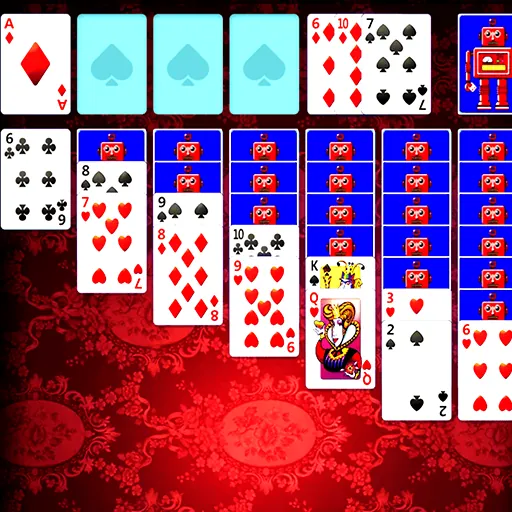 #1Classic Solitaire Card PuzzleClassic Solitaire Card Puzzle follows the timeless Solitaire rules.
 #2Mahjong BlastMatch two free mahjong tiles, remove pairs, and clear the board.
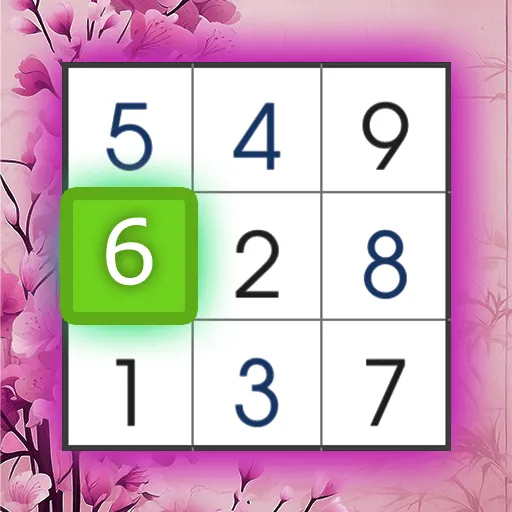 #3Easy Sudoku PuzzleFill the grid with numbers from 1 to 9 so that each number appears only once in every row, column, and box.
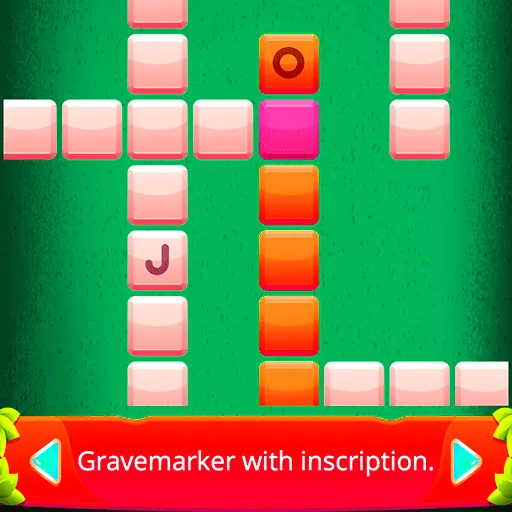 #4Daily Crossword PuzzleTake your time and piece together each answer from the clues.
 #5Word Search RelaxLook at the list of hidden words, search for them in the letter grid, and swipe letters to form words.
 #6Find Hidden ObjectsSearch and discover hidden objects in detailed scenes.
 #7Mahjong MatchClick or tap two matching tiles to remove them from the board.
 #8Sudoku MasterClick an empty cell on the 9x9 grid to select it, then click a number from the panel to place it.
 #9Hidden Object DetectiveLook carefully at each scene, find the hidden objects listed on screen, and tap an object once you discover it.
What makes a game senior friendly
- No reflexes needed. The best choices let you take as long as you like over each move.
- Clear, large pieces. Cards, tiles and letters should be easy to tell apart at a glance.
- Familiar rules. Classic card and word puzzles need no learning curve for people who played them on paper.
- Help when stuck. Hints and undo remove the frustration of one wrong move spoiling a game.
- Short rounds. A single game that takes a few minutes is easy to fit around the day.
Solitaire: the familiar favourite
For many people, solitaire is the first computer game they ever played, and its rules have not changed. In Classic Solitaire Card Puzzle, you build four foundation piles from Ace to King in each suit, while arranging the columns in descending order with alternating red and black cards. It offers unlimited undo and hints for stuck situations, so you can test an idea and take it back. If you would like a refresher on setup and strategy, our how to play solitaire guide covers everything from the deal to the endgame.
Mahjong solitaire: matching at your own pace
Mahjong solitaire is a matching game, not the four-player game of the same name. You remove pairs of identical tiles, but only tiles that are free on at least one side. Mahjong Blast is a particularly gentle choice: it has no timers or forced speed, plus hints, shuffle and undo when you need help, and hundreds of handcrafted boards. Mahjong Match uses the same rule that a tile is selectable only when its left or right side is open, and suggests working from the outer edges inward. Our mahjong solitaire guide explains the tile rules in more detail.
Make the tiles bigger
On a computer, hold Ctrl and press the plus key (Cmd and plus on a Mac) to zoom the page, or choose the fullscreen button so the game fills the screen. Larger tiles and cards are far easier to tell apart.
Sudoku and number puzzles
Sudoku suits people who enjoy logic but do not want to do sums, since the digits are only symbols. Easy Sudoku Puzzle is designed for beginners, with hints and undo to help you learn, and Sudoku Master provides a clean 9x9 grid with a notes feature for keeping track of candidate numbers. Both let you think for as long as you need before placing each digit.
Crosswords and word search
Word puzzles are a natural fit for anyone who has kept a newspaper puzzle page by the kettle. Daily Crossword Puzzle offers new themed puzzles every day, from easy to hard, lets you erase and try again, and has hints when you are stuck. For something lighter, Word Search Relax gives you a list of words to find in a letter grid with no time limits, and you simply swipe across each word when you spot it.
Hidden object games
Hidden object games ask you to find items in a detailed picture, which makes them restful and visual rather than wordy. Find Hidden Objects has no time limit, lets you zoom in and out to examine every corner, and offers hints for tricky objects. Hidden Object Detective shows a list of objects on screen to find in each scene, with hints if you get stuck. The zoom feature is especially handy on a smaller screen. Note that some spot-the-difference games do use a countdown, so check before you start if you prefer to play without one.
Choosing a device and screen
A laptop or desktop with a large monitor is the most comfortable choice for card and tile games, because everything is bigger and a mouse is precise. A tablet is a good middle ground: it is light to hold, the screen is bigger than a phone, and tapping is natural for people who find a mouse fiddly. Phones work too, but small tiles can be hard to tap accurately, so turning the phone sideways or choosing a game with large pieces helps.
- Turn up screen brightness and sit facing away from a bright window to cut glare.
- Use a mouse rather than a laptop touchpad if clicking accurately is difficult.
- If a game has sound you do not want, use the mute button or turn down the device volume.
- Bookmark the games you like so they are one click away next time.
Helping someone get started
If you are setting up games for a parent or grandparent, sit with them for the first round rather than explaining from across the room. Pick one familiar game, such as solitaire, open it, and show where the undo and hint buttons are. Nobody needs to create an account or install anything, which removes a common worry. After that, add one new game at a time. You can find more calm options in our relaxing games guide, or browse the puzzle games category together.
Play at a comfortable pace
The point of these games is enjoyment. There is no need to rush, chase a score or finish every puzzle. If a board feels too hard, use a hint, step back to an easier level or try a different game for a while. Many people enjoy a short session with a morning cup of tea and another in the evening, and that rhythm is easy to keep with games that start in a single click.
Frequently asked questions
What are good online games for seniors?
Classic, unhurried puzzles work well: solitaire, mahjong solitaire, sudoku, crosswords, word search and hidden object games. Look for ones with hints, undo and no timer.
Do these games need an account or download?
No. The games in this guide play free in a web browser on OnlineGameWorlds, with no download and no sign-up.
How can I make the game easier to see?
Use the fullscreen button, zoom the page with Ctrl and plus (Cmd and plus on a Mac), play on a larger screen such as a tablet or monitor, and turn up the brightness.
Which of these games have no timer?
Mahjong Blast has no timers, Word Search Relax has no time limits and Find Hidden Objects has no time limit, so you can play each at your own pace.